If you’ve been running Azure Virtual Desktop for a while, you already know the pain: keeping session hosts consistent is easy until you start chasing app versions, Windows Updates, Teams changes, and the “one missing dependency” that breaks someone’s day.
Microsoft calls this a golden image approach: bake your base OS + apps + config once, then roll it out to session hosts consistently. (Microsoft Learn)
In this post, I’m sharing a Terraform-based approach that builds a custom AVD image using Azure VM Image Builder (AIB) and publishes it to Azure Compute Gallery (ACG) so you can consume it in your AVD host pool automation. (Microsoft Learn)
Repo:
avd-terraform-customimage(GitHub)
What we are building
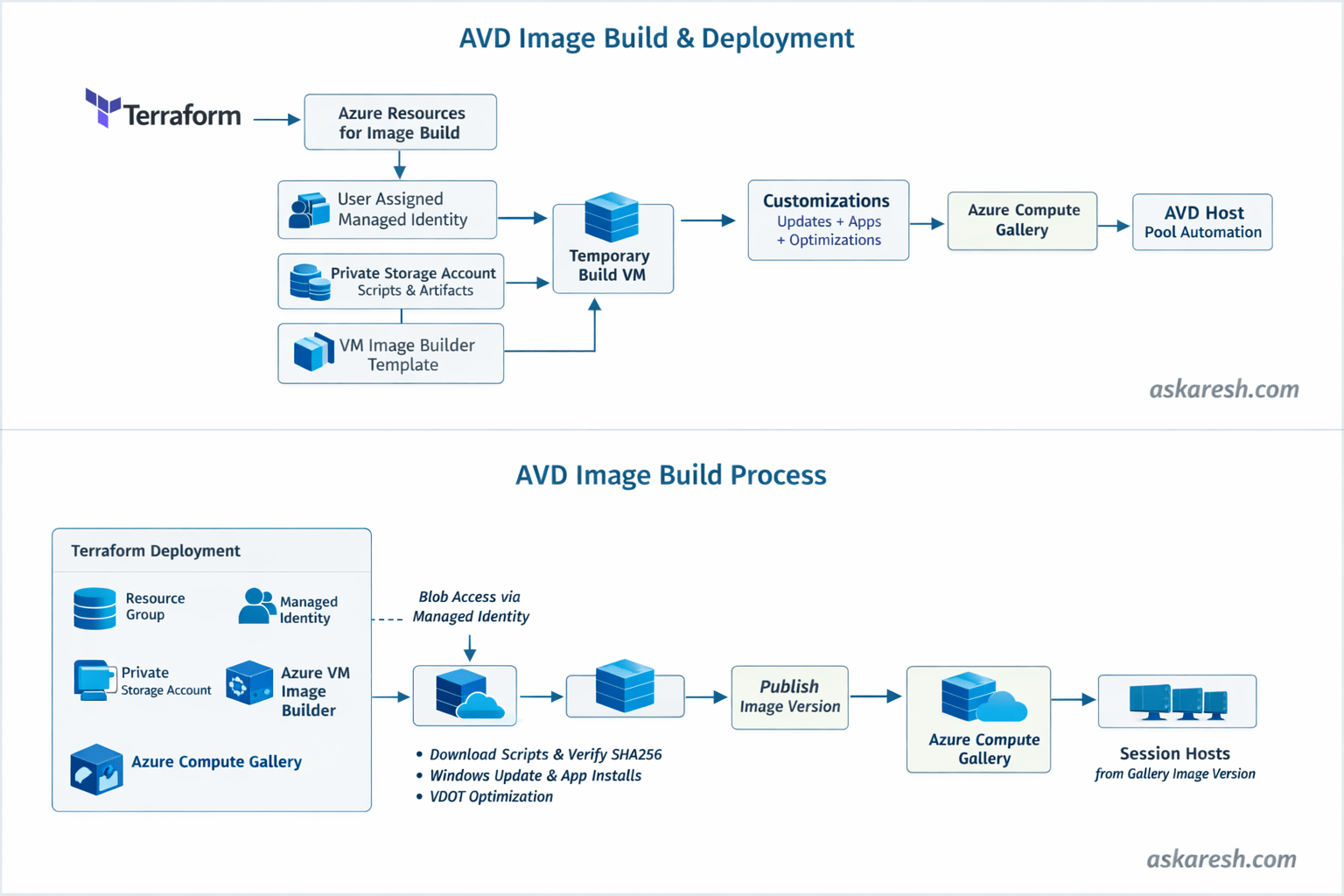
High level flow:
- Terraform provisions the Image Builder “plumbing” (identity, storage, template, etc.)
- Azure VM Image Builder spins up a temporary build VM
- The build VM runs updates + optimizations + app installs (your choice)
- The final image gets published into Azure Compute Gallery
- You use that gallery image version when creating/re-imaging AVD session hosts (GitHub)
This repo uses a Windows 11 multi-session AVD + Microsoft 365 marketplace image as the starting point (so M365 and Teams are already there), then layers your customizations on top. (GitHub)
Why I like this approach
A few things in this repo are intentionally “enterprise friendly”:
- No public script URLs / no long-lived SAS tokens: scripts are stored in a private blob container and downloaded using the Image Builder user-assigned managed identity. (GitHub)
- SHA256 integrity checks: if someone tampers with your script artifacts, the build fails. (GitHub)
- Deterministic image versioning: default version format is
YYYY.MM.DD, with an option to override. (GitHub) - Optional optimization steps like Virtual Desktop Optimization Tool (VDOT) and FSLogix config (handy in AVD land). (GitHub)
Architecture
Pre-requisites
- Azure subscription + permissions to create IAM assignments, storage, and image resources.
- Terraform installed (repo expects Terraform + AzureRM provider versions aligned with the README). (GitHub)
- Azure VM Image Builder basics: it supports starting from Marketplace/custom images and publishing to Azure Compute Gallery. (Microsoft Learn)
Deployment steps (what I run)
1. Clone the repo
git clone https://github.com/askaresh/avd-terraform-customimagecd avd-terraform-customimage2. Configure variables
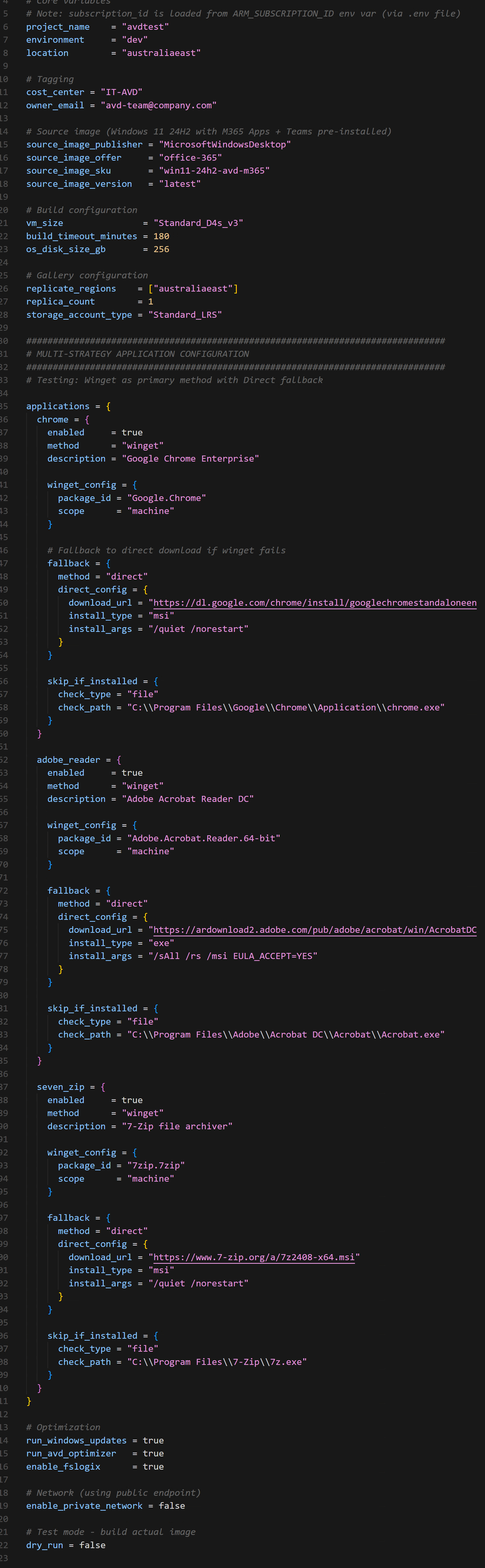
Start from the example and edit what you need (region, naming, feature toggles, etc.). (GitHub)
3. Authenticate
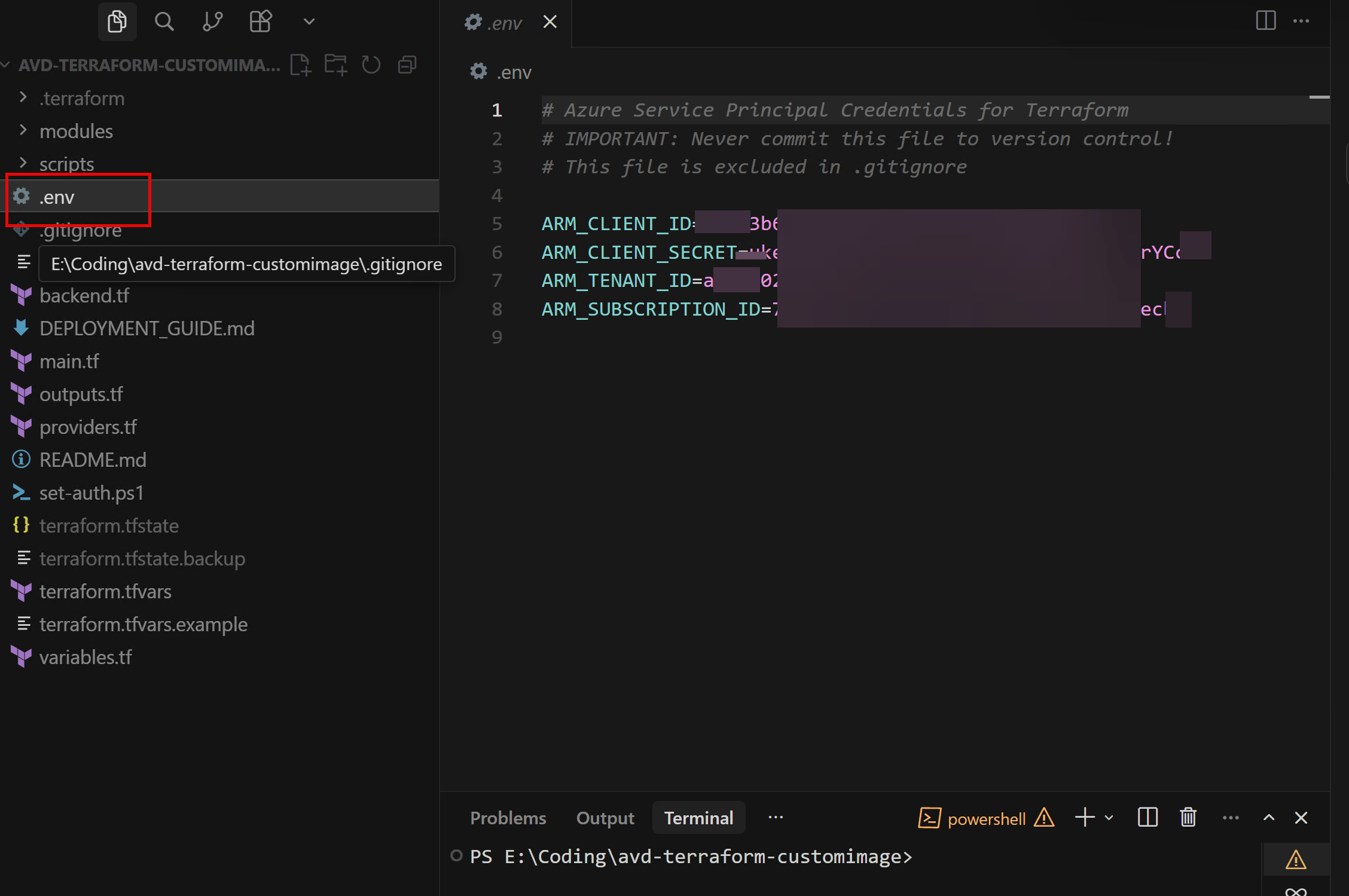
Use your preferred method (interactive az login locally, or service principal in CI/CD). The repo also calls out using .env locally and keeping secrets out of Git. (GitHub). The PowerShell script set-auth.ps1 calls these environment variables.
4. Terraform init / plan / apply
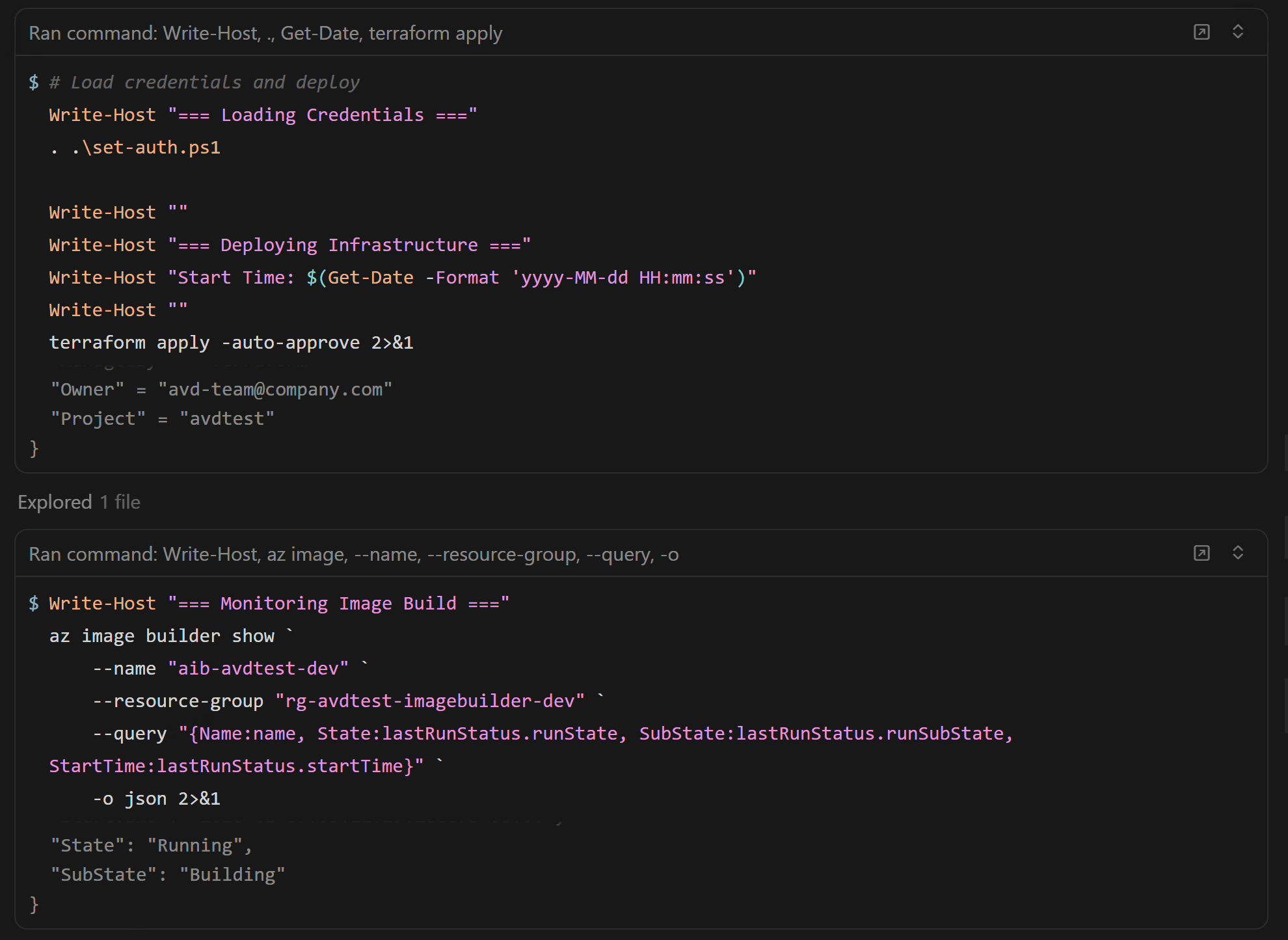
terraform init -upgradeterraform plan -out image.tfplanterraform apply image.tfplanImportant note: Terraform provisions the Image Builder template, but doesn’t wait for the build to finish. (GitHub)
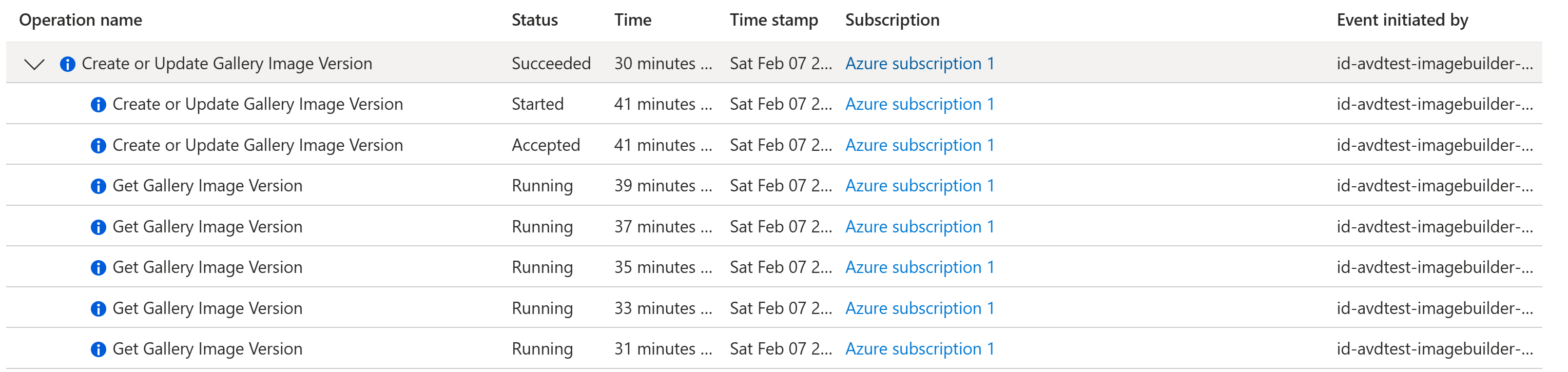
5. Trigger + monitor the image build
You can monitor runs in the portal, or with Azure CLI:
az image builder show-runsshows run outputs for the template. (Microsoft Learn)
6. Validate the image in Azure Compute Gallery
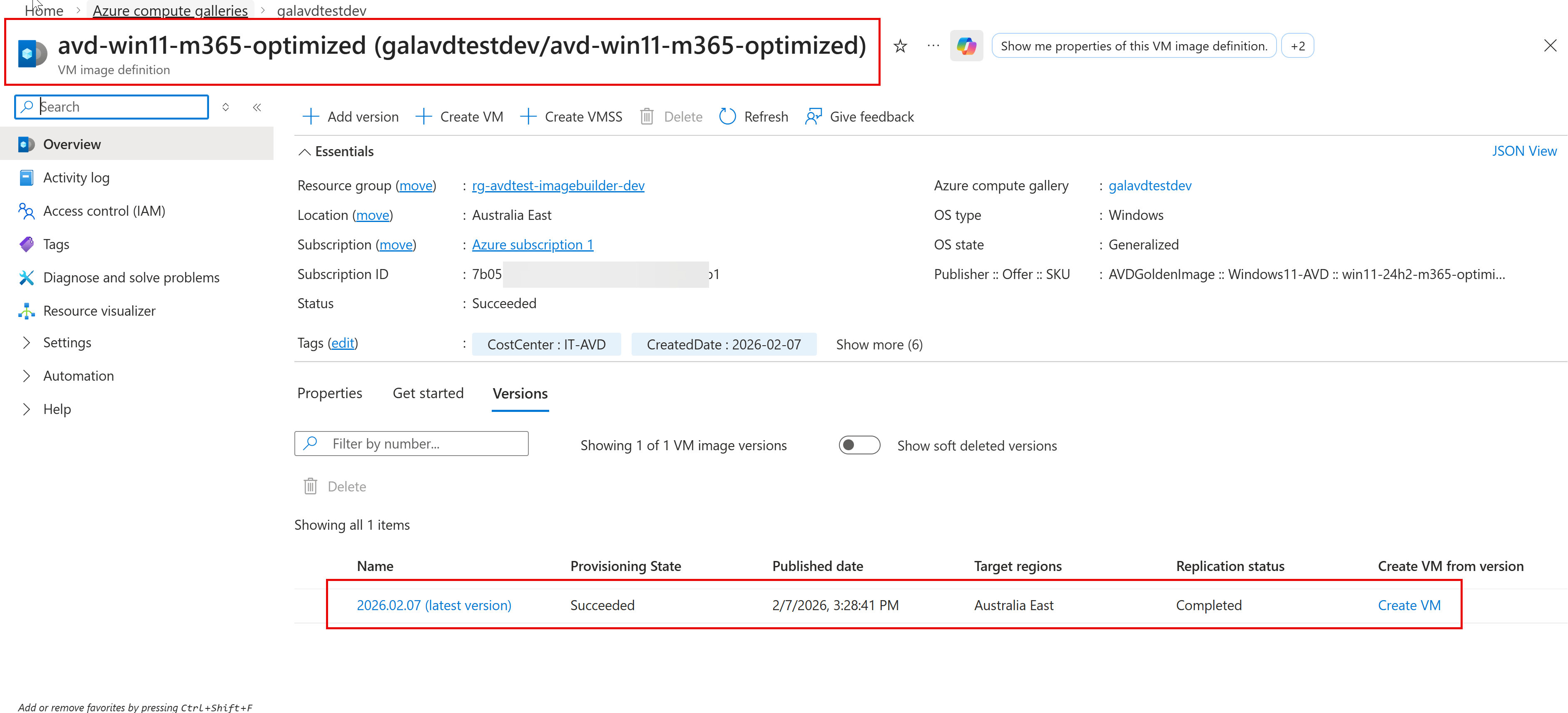
Once the build completes, you’ll see a new image version in Azure Compute Gallery. ACG is designed to manage/share images and versions cleanly across environments. (Microsoft Learn)
Customizing applications (the fun part)
This repo supports multiple install strategies with fallback (so you’re not stuck when winget is blocked in some environments):
winget(default)directdownload (fallback)offlinepackages from storagepsadtfor complex enterprise apps (GitHub)
Gotchas / things to keep in mind
- Build time: expect ~45–75 minutes depending on Windows Updates and app installs. (GitHub)
- Template updates: Image Builder doesn’t really do “in-place template updates” the way you’d hope—plan on the “replace template” pattern when you change major parts. (Microsoft Learn)
- Networking: if you go private networking / locked-down egress, make sure your update/app endpoints are reachable (or use offline packages). (GitHub)
- AVD consumption: this pipeline publishes the image version—your AVD session host deployment should point to that exact gallery version. (GitHub)
Where this fits in your AVD build
If you already deploy host pools/workspaces/scaling plans via Terraform, think of this repo as the image factory that feeds your host pool automation. (Build image → publish to gallery → deploy session hosts from that version.) (GitHub)
Wrap up
That’s it — repeatable AVD image builds, versioned in Azure Compute Gallery, with a setup that avoids public script endpoints and keeps things predictable. (GitHub)
I hope you find this helpful information for building and maintaining an AVD golden image using Terraform + Azure VM Image Builder. If I have missed any steps or details, I will be happy to update the post.
Thanks,
Aresh Sarkari


Leave a Reply